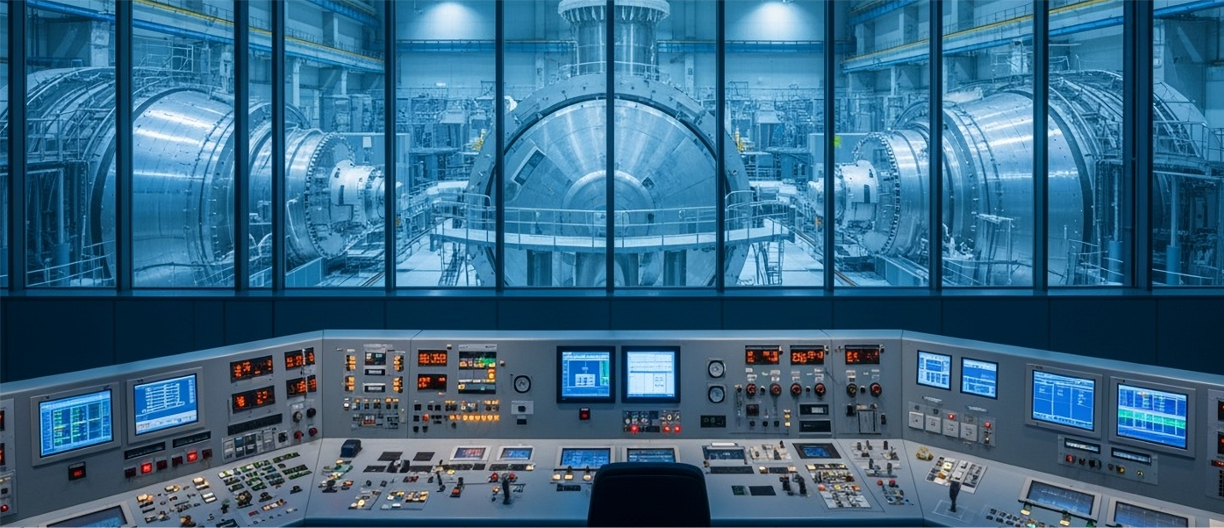
Generate a Nuclear SITREP And in minutes identify the size and scope of the adversarial cyber attack
Nuclear cyber incident investigations often involve records scattered across plant networks, engineering workstations, HMI activity, control-system logs, vendor maintenance access, diagnostic packages, portable media, security tools, and operational event records. REMI AI brings those sources together and generates a cyber SITREP that explains the situation in plain English. It identifies what happened, how access was achieved, which systems were touched, whether engineering or control-configuration activity occurred, where suspicious files or AI-spawned tools appeared, what remains unproven, and which records support the sequence.
Instead of manually comparing SIEM alerts, endpoint logs, VPN activity, vendor-access records, engineering workstation events, HMI logs, control-configuration changes, historian records, and portable-media activity one source at a time, REMI analyzes the full evidence set together. REMI is designed to understand advanced AI-enabled disruption patterns, including state-actor style reconnaissance, delayed execution, lateral movement, tool spawning, configuration probing, and activity that may not look dangerous until it is reconstructed across systems and time.

REMI SUPPORTS BOTH OT & IT EVENT LOGS

REMI analyzes evidence from both enterprise incident response and nuclear plant IT/OT environments, including endpoint activity, VPN and identity records, firewall logs, plant network records, engineering workstation activity, HMI actions, historian events, control-configuration records, portable-media activity, vendor access, and maintenance records.
By connecting these records across IT and nuclear plant operations, REMI helps investigators see whether a cyber incident stayed inside enterprise systems or moved toward engineering support, control-adjacent systems, historian support, HMI activity, configuration records, or plant-support infrastructure. It reconstructs what happened, which systems were touched, what changed, what evidence supports the findings, and what records are still needed to close the gaps.
IT Event Logs
OT Event Logs
Operator screens, plant status displays, command activity, acknowledgments, setpoint reviews, overrides, and control-room actions.
Controller events, logic revisions, downloads, forced values, mode changes, device status records, and control-configuration activity.
Trend values, tag changes, plant support values, cooling support data, pressure, flow, temperature, voltage, frequency, and process-state records.
Alarm floods, silenced alarms, acknowledgments, resets, threshold changes, abnormal plant states, and gaps in expected alarm activity.
Project file changes, engineering tool activity, controller uploads/downloads, user activity, scripts, diagnostic packages, and remote sessions.
VPN sessions, jump hosts, maintenance accounts, vendor diagnostics, source IPs, approved work windows, and post-maintenance activity.
Firewall flows, switch records, protocol traffic, segmentation events, plant support paths, engineering network traffic, and unusual connections.
Work orders, change tickets, approved maintenance windows, asset-owner records, configuration approvals, signed maintenance packages, and baseline comparisons.
REMI Is Trained to Recognize Advanced Adversarial Cyber Behaviors in Nuclear Plant Environments

REMI is trained to recognize advanced adversarial cyber behaviors in both enterprise incident response and water treatment environments.
REMI analyzes industrial vendor logs to identify suspicious access, lateral movement, AI-spawned tools, configuration changes, disruption indicators, and activity that may only become clear when plant, engineering, vendor, security, and control-system records are reviewed together.
OT Behavioral Detection
Chlorine, pH, fluoride, polymer, feed-rate, or dosing changes outside expected patterns.
Abnormal starts, stops, tank levels, pressure shifts, or flow changes.
Logic edits, controller downloads, setpoint changes, forced values, or mode changes.
Unusual commands, overrides, screen access, or alarm acknowledgments.
Missing telemetry, alarm floods, quiet periods, resets, or altered trends.
VPN sessions, jump hosts, diagnostics, maintenance accounts, and source IPs.
Turbidity, residuals, sensor readings, sample records, or threshold violations.
Reservoirs, valves, pressure zones, booster stations, storage tanks, or downstream effects.
IT Behavioral Detection
New locations, impossible travel, off-hours access, failed MFA, token reuse, or abnormal login patterns.
Unexpected processes, scripts, malware paths, dropped files, persistence, hashes, and device telemetry.
Internal traffic, external callbacks, DNS activity, VPN sessions, ports, protocols, and lateral movement paths.
Admin role changes, permission updates, group membership changes, service accounts, and token activity.
Storage access, mailbox activity, API calls, app credentials, file sharing, downloads, and data movement.
Large transfers, unusual downloads, external sharing, archive creation, USB activity, and abnormal outbound traffic.
After-hours access, unusual file access, policy bypasses, removable media use, deleted logs, or access outside job role.
Shared credentials, approved access used at abnormal times, suspicious vendor coordination, unlocked remote tools, or access enabled before activity.
Correlation Is Where the Incident Story Starts to Form
REMI connects related activity across plant, engineering, vendor, security, and control-system records so responders can see how separate events fit together.
A single alert rarely explains a nuclear cyber event. One system may show vendor access, another may show engineering workstation activity, another may show a diagnostic package or file change, and another may show activity near HMI, historian, or control-configuration records. REMI correlates those records by time, account, device, IP address, file, process, session, and repeated behavior to build the first evidence-backed version of the story.

REMI connects scattered flagged behaviors into the first clear view of how malware activity connects to operational disruption.
How REMI Explains It
How REMI Explains the Connections
REMI connected the stolen-laptop record, VPN login, source IP address, account activity, and internal network traffic into one evidence path. The first connection showed that NPE-LT-18 was tied to c.arden, and that the same account was used to establish a VPN session from 203.0.113.44 one week after the laptop had been reported stolen.
The second connection showed that the VPN session did not stop at authentication. Within 13 seconds, the session reached 10.77.18.25 inside the nuclear business network. REMI then connected that internal destination to later activity on OPS-DT-07, showing that the remote session moved from external access into a usable internal desktop environment.
From there, REMI connected OPS-DT-07 to traffic toward NPE-ENG-04 inside the nuclear engineering support environment. That mattered because NPE-ENG-04 was not just another workstation. It was tied to engineering support records used for plant configuration, control-system maintenance, and nuclear operations support.
The final connection linked NPE-ENG-04 to historian, HMI, and plant-support records. That gave investigators a clear path from stolen device history, to VPN access, to business-network entry, to internal desktop activity, to engineering support, and finally to nuclear plant-support records.
How REMI See's It
REMI connected WATER-LT-18 to c.arden VPN activity from 203.0.113.44, linking device history to the remote-access event.
The session reached 10.77.18.25 inside the water utility business network 13 seconds after login.
The same session moved from 10.77.18.25 to OPS-DT-07 43 seconds later.
OPS-DT-07 connected toward WATER-ENG-04, crossing from business access into water engineering support.
WATER-ENG-04 aligned with historian, pump-station, and chemical-feed records, completing the evidence path.
on-the-spot Reporting

Advanced Cyber Attacks On Nuclear Power Facilities
REMI generates both nuclear-specific reports and broader incident response reports from the same evidence package. For nuclear environments, the reports focus on plant, engineering, vendor, security, and control-system activity, including HMI events, historian records, control-configuration changes, vendor maintenance access, portable-media activity, and plant-adjacent IT/OT behavior.
Reporting Package
What happened, what systems were affected, and what needs attention.
Flagged behaviors, triggered indicators, affected sources, and first observed activity.
Suspicious access, unusual process activity, abnormal commands, persistence, tool spawning, and disruption patterns.
Event-by-event sequence showing when activity began, spread, changed, and ended.
Connects accounts, devices, IP addresses, files, processes, sessions, and events across separate sources.
Related users, vendors, machines, tools, accounts, and systems involved in the event.
Touched devices, high-priority systems, and records showing configuration or settings changes.
Files, paths, logs, artifacts, scripts, binaries, hashes, and evidence to preserve.
Size, scope, findings, open questions, and prioritized responder actions.
SitRep
The evidence-backed sequence of events from first activity through affected systems.
Accounts, devices, networks, systems, vendors, files, sessions, and source records.
Entry point, connection path, lateral movement, trusted access paths, and systems touched.
Account use, approvals, shared access, vendor activity, or open remote tools tied to the evidence.
Findings supported by source records, timestamps, logs, artifacts, and system activity.
Open questions where the current evidence does not yet prove the full answer.
Logs, approvals, asset-owner records, vendor records, source files, or telemetry needed to close each gap.
Preserve, isolate, sandbox, remove, remediate, verify, escalate, or request additional records.
Story Gaps
Question: Was the VPN login approved?
Event logs needed: Maintenance ticket, vendor work order, change approval, and MFA approval record.
Question: Was this source location expected?
Event logs needed: VPN source-IP history, identity sign-in logs, geolocation records, and vendor access baseline.
Detail gap: Was this an approved intermediate host?
Event logs needed: Asset inventory, firewall flow logs, DHCP/DNS records, system owner records, and approved remote-access path records.
Question: Which engineering actions were performed?
Event logs needed: EDR telemetry, engineering workstation logs, project-file access records, tool execution logs, and jump-host records.
Question: Who used the VPN account?
Event logs needed: MFA device record, identity provider logs, account-owner record, vendor assignment record, and privileged-access logs.
Actionable items
Preserve logs for vendor_maint_02, source IP 203.0.113.44, internal host 192.165.43.18, desktop OPS-DT-07, and engineering workstation ENG-WS-04 before removal.
Isolate OPS-DT-07 and ENG-WS-04 from the network. Firewall and EDR records show the VPN path moved through these systems.
Search ENG-WS-04 for C:\Users\Public\update-task.vbs, C:\Temp\stage.ps1, and C:\ProgramData\svc-loader.bat.
Search OPS-DT-07 for C:\Users\j.martinez\AppData\Roaming\sysrunner.exe and preserve a forensic copy for sandboxing.
After preservation, remove C:\Temp\stage.ps1, C:\ProgramData\svc-loader.bat, and C:\Users\Public\update-task.vbs from affected hosts.
Disable vendor_maint_02, revoke active VPN sessions, rotate credentials, reset MFA, and review vendor access tied to 203.0.113.44.
Review and remediate project folders on ENG-WS-04, including D:\Engineering\Projects\NorthPump and related control-support files touched during the session.
Check OPS-DT-07, ENG-WS-04, 192.165.43.18, and VPN logs for new callbacks, scheduled tasks, repeated processes, reopened sessions, or restored persistence.
Use Case:
how REMI turns event logs and source records into a cyber SITREP

AI-Spawned Malware Controller Inside Engineering Support
At 5:18 AM, the plant systems engineer at Granite Ridge Nuclear Station noticed that engineering support records did not line up with the overnight work plan. Nothing was fully down, but the pattern was wrong: an engineering workstation showed command activity after the maintenance window, a historian support server recorded...
Download remi_nuclear_ai_malware_controller_sitrep_use_case.pdf
AI-Generated Logic Package Disguised as Vendor Maintenance
At 6:04 AM, the control systems engineer at Granite Ridge Nuclear Station noticed that auxiliary support values did not line up with the approved post-maintenance baseline. The plant support system was stable, but the pattern was wrong: a controller showed a new active revision, the upload time came after the approved vendor window, and the package name matched a work order while the behavior did not match the signed baseline.
Download: remi_nuclear_ai_logic_package_sitrep_use_case.pdf
AI-Directed Pre-Positioning Across Nuclear Support Systems
At 4:37 AM, the cyber security lead at Granite Ridge Nuclear Station noticed that low-volume access across plant support systems did not line up with the overnight work plan. Nothing triggered a major alarm, but the pattern was wrong: a service account touched historian servers, a jump host launched administrative tools, and an engineering file share recorded folder enumeration during a window with no approved support activity.
Download: remi_nuclear_ai_logic_package_sitrep_use_case.pdf